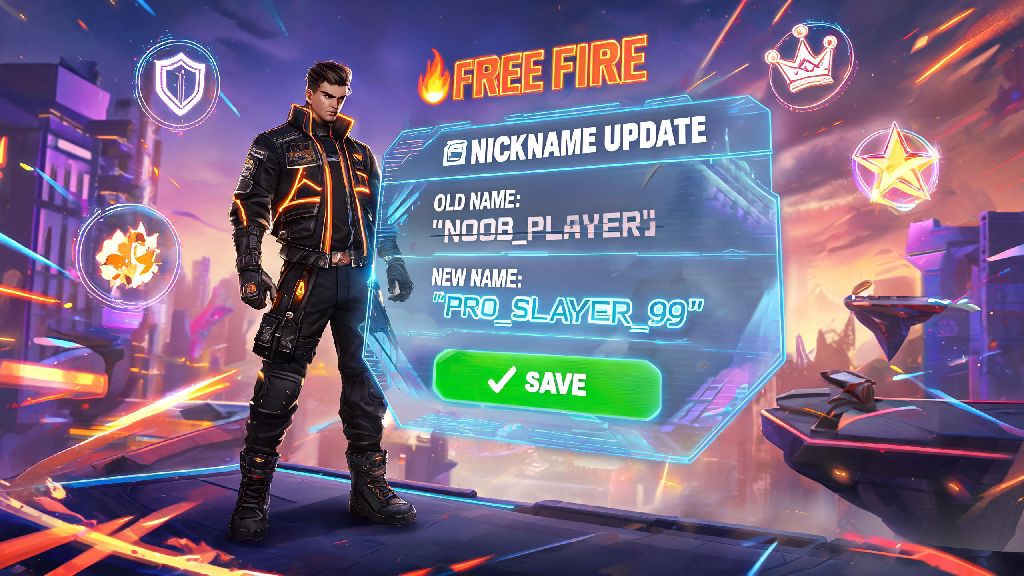
We’ve all been there: you signed up for Free Fire on a whim back in middle school, picked a silly nickname like xXDragonSlayer69Xx that you thought was cool at the time, and now you cringe every time your clan mates call it out during ranked matches. Or you just joined a new competitive team and need to add their official tag to your username to qualify for 2026 tournament rosters. Whatever your reason, updating your in-game name doesn’t have to be a confusing, expensive process. If you’re wondering how to change name in Free Fire without wasting your hard-earned diamonds or running into frustrating error messages, this 2026 guide has you covered. We’ve tested every method ourselves to make sure all steps align with Garena’s latest platform updates.
2026 Eligibility Rules for Changing Your Free Fire Name
Garena rolled out small but important updates to their name change policies at the start of 2026, so a lot of older tutorials you’ll find online are already out of date. The good news is most of these changes are designed to cut down on harassment and impersonation across the game, which makes the whole community safer for everyone. You don’t need to meet any level requirements to change your name as of 2026, even brand new level 1 accounts can update their username right after finishing the tutorial.
The main rules you need to follow before submitting a new name are pretty straightforward, and violating them will get your request rejected immediately. Prohibited content includes:
You also can’t change your name more than once every 7 days, a new cooldown rule added in 2026 to stop trolls from constantly switching their usernames to avoid bans after harassing other players. Any name you submit will be reviewed by Garena’s automated moderation system within 24 hours, and you’ll get an in-game notification if it’s approved or rejected. If it’s rejected, you won’t lose any diamonds or name change items, you’ll just get a prompt to pick a different username.
Two Legitimate Ways to Change Name in Free Fire in 2026
There are only two official ways to update your Free Fire name as of 2026, and any site or video promising a “free unlimited name change glitch” is a scam designed to steal your account credentials. Never enter your account ID or password on third-party sites claiming to give you free name changes, you’ll almost certainly end up losing your account and all the skins you’ve collected over the years.
The first method is paying with diamonds, which costs 399 diamonds per name change. This is the fastest option if you need to update your name right away for a clan event or tournament, and you don’t have a name change card in your inventory. Just make sure you double check the spelling of your new name before confirming, because you won’t get a refund if you make a typo.
The second method is using a name change card, which is the best option for free-to-play players who don’t want to spend real money on diamonds. Name change cards can only be used once per 7 day cooldown period, same as the diamond method, so make sure you’re 100% happy with your new name before you use one. You can earn name change cards for free through 2026’s event tracks, the free tier of the monthly elite pass, weekly login rewards, and occasional clan mission prizes. F2P players can earn up to 2 free name change cards per month through 2026’s updated free event tracks if they complete all their daily and weekly missions consistently.
Step-by-Step Process to Change Your Name in 2026
The actual process of updating your name only takes a minute if you already have your diamonds or name change card ready, and it’s the same for both the regular Free Fire app and Free Fire Max. First, open the game and tap on your profile icon in the top left corner of the main lobby screen, the one that shows your current avatar and level. This will take you to your full profile page, where you can see your match stats, clan info, and collected cosmetics.
Next, tap the small pencil icon right next to your current display name, located just below your avatar and level number. This will open the name editing menu, where you can type in your desired new username. Only underscores, periods, and standard alphanumeric characters are approved for use in Free Fire names as of 2026, so if you try to use fancy Unicode symbols or emojis, you’ll get an error message immediately. Double check the spelling and spacing of your new name before moving to the next step.
Once you’re happy with your new name, you’ll see two payment options at the bottom of the screen: use a name change card (if you have one in your inventory) or pay 399 diamonds. Tap the option you prefer, then hit the confirm button to submit your name for moderation. You’ll get a pop-up notification confirming your submission, and you’ll get a second notification within 24 hours letting you know if your name was approved. If it’s approved, your new name will show up on your profile and in all matches immediately after you get the notification.
Fixes for Common 2026 Name Change Errors
Even if you follow all the rules, you might run into a few common error messages when trying to update your name, most of which are easy to fix without contacting support. The most common error is “name already taken”, which means another player is already using the exact username you picked. If this happens, try adding a small suffix like a number, your clan tag, or a minor spelling variation to make it unique. Don’t add random special characters to get around this, because they’ll likely get your request rejected anyway.
The second most common error is “invalid character detected”, which usually means you tried to use an emoji, fancy Unicode symbol, or special character that’s not on the approved list. Stick to letters, numbers, underscores, and periods, and you won’t run into this issue. Some players also try to use spaces in their name, which have never been allowed in Free Fire, so use underscores if you want to separate words.
If you get a “cooldown period active” error, that means you changed your name less than 7 days ago, so you’ll have to wait until the cooldown ends to change it again. There’s no way to skip this cooldown, even if you contact support, so just mark the date on your calendar and try again later. If you get an error that says your name is flagged for moderation, wait 24 hours before trying again instead of resubmitting multiple times, because repeated submissions can trigger a temporary restriction on name changes for your account. If you’re sure your name follows all the rules and it’s still getting rejected, you can contact Garena support through the in-game help center, and they’ll usually get back to you within 48 hours to resolve the issue.
I’ve changed my own Free Fire name three times already in 2026: once to add my clan tag when I joined my current competitive team, once when I realized my old nickname was way too cringey to use in tournament streams, and once to match a silly group theme my friends decided on for a custom match event. All the steps and tips in this guide worked perfectly for me every single time, and I didn’t run into any unexpected issues as long as I followed Garena’s rules. Now that you know how to change name in Free Fire for 2026, you can pick a nickname that actually fits your current playstyle or group affiliation without any unnecessary hassle. Just remember to stay away from scam sites promising free name changes, and you’ll be good to go.