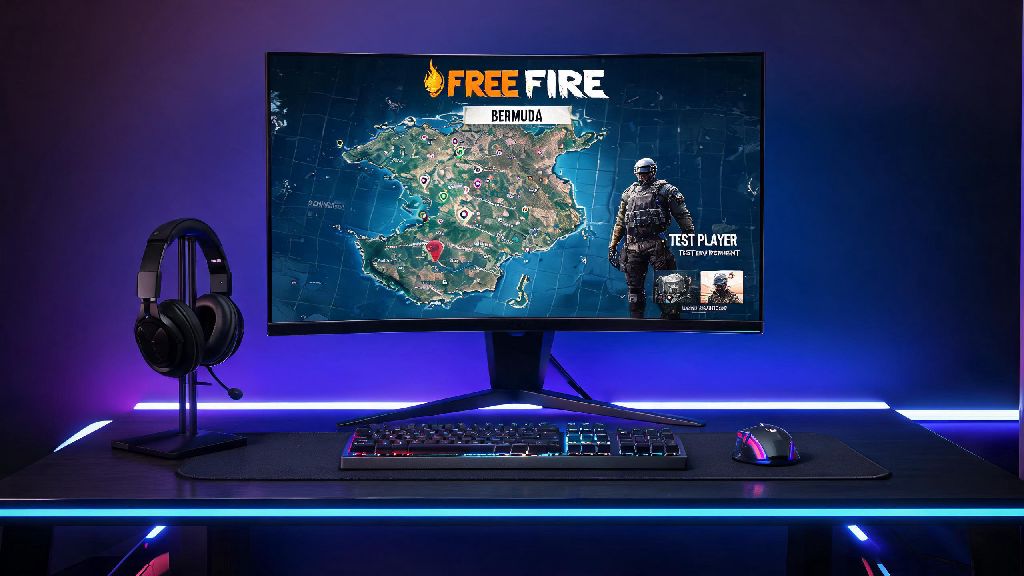
If you’ve ever wished you could try new Free Fire weapons, maps, or character abilities before they launch to the general public, you’ve probably heard of the test build for the game. Knowing how to download Free Fire Advanced Server lets you skip the wait and get first access to every upcoming update, plus exclusive rewards for reporting bugs you find during your playtime. I’ve been testing these server builds for three years, and I’ve made every mistake in the book when it comes to downloading and logging in, so I’ve put together this guide to help you avoid the headaches I ran into when I first started. It’s not as complicated as many players make it sound, but there are a few key rules you need to follow to keep your account safe and make sure your download works properly.
Pre-requisites You Need to Meet Before You Download Free Fire Advanced Server
Not every player can access the Advanced Server right away, and you’ll need to check off a few basic requirements before you can even sign up for a slot. The dev team only opens sign-ups 7 to 10 days before a major update is scheduled to launch, so you’ll need to keep an eye on official Free Fire social channels to catch the registration window before it closes. Spots fill up fast, so applying as soon as sign-ups go live gives you the best shot at getting accepted.
Before you submit your application, make sure you meet all of these non-negotiable requirements to avoid getting your request rejected automatically:
You must use an active Free Fire account tied to a valid email address to sign up, since guest accounts have no verified contact information and will be rejected immediately. You don’t need to uninstall your regular Free Fire app to install the Advanced Server either – they run as completely separate apps on your device, so you can switch between your main account and test server access whenever you want. There is currently no iOS version of the Advanced Server available, so players with Apple devices won’t be able to participate in testing cycles for now.
Step-by-Step Process to Download and Install the Build
Once your sign-up is approved, you’ll get a confirmation email with a unique download link tied directly to your registered account. The whole process takes less than 10 minutes if you follow the official steps, but cutting corners can lead to broken installs or even account bans, so stick to the process outlined here.
First, open the confirmation email you received from the Free Fire dev team and tap the official download link included in the message. Never download the Advanced Server from random third-party sites – those files often contain malware, modified anti-cheat code, or hidden hacks that can get your main Free Fire account permanently banned with no chance of appeal. Next, you’ll be prompted to allow downloads from unknown sources on your Android device. This is a normal permission required to install APK files outside of the Google Play Store, and you can turn this setting off immediately after installation to keep your device secure.
Wait for the APK file to finish downloading, then tap the file in your downloads folder to start the installation process. The install takes 2 to 5 minutes depending on your device speed, and you’ll see a Free Fire Advanced Server icon pop up in your app list once it’s done. Open the app and log in with the exact same account you used to sign up for the testing cycle, and you’ll be dropped straight into the test server lobby. If you get a “server full” error when you try to log in, that’s normal – the dev team only allows a limited number of concurrent testers to keep the server stable. Try logging in again during off-peak hours, like early morning or late at night, when fewer players are active. All progress you make on the Advanced Server won’t carry over to your main Free Fire account, so don’t waste time grinding ranks or collecting skins on the test build. Focus on exploring new features instead.
Common Issues to Avoid When Using the Advanced Server
Even if you follow the download process perfectly, you might run into a few common hiccups when using the test build, and some mistakes can have permanent consequences for your main account. First, never share your unique download link with anyone else. Each link is tied to one specific account, so if another person uses your link to download the build, you won’t be able to log in to the server yourself, and you might lose access to testing rewards for that cycle.
Don’t use hacks, mods, or third-party tools on the Advanced Server, even if you think it doesn’t matter because your progress doesn’t carry over. The same anti-cheat system used for the main game is active on the test server, and any violation will result in a ban for your main Free Fire account, not just your test server access. If you run into frequent lag or crashes while playing, that’s not unusual for a test build, but you can reduce these issues by closing all other apps running in the background before you open the Advanced Server app, and clearing the app’s cache once every few days.
Make sure to submit bug reports through the in-game feedback tool whenever you run into an issue – players who submit valid, detailed reports with screenshots or video clips get free diamonds, exclusive gun skins, and other rewards that are added directly to their main Free Fire account once the testing cycle ends. The server only stays active for 2 to 3 weeks per cycle, so once the corresponding update launches to the general public, the Advanced Server app will stop working entirely, and you can uninstall it to free up storage space on your device.
What You Gain From Testing the Advanced Server Build
Many players sign up for the Advanced Server just to get early access to new content, but the perks go way beyond trying new features first. I still remember when the snow map was in testing a few cycles back – I got to play it for two weeks before it launched to all players, so I already knew all the best hidden loot spots and fastest rotation routes when it went live. That head start helped me climb from Gold to Heroic in half the time I usually take during a new ranked season.
The rewards for submitting bug reports are well worth the small amount of effort it takes to fill out the feedback form. I’ve earned over 1200 free diamonds in the last year just for reporting glitches I found during testing, plus two limited-edition gun skins that aren’t available for purchase in the main game’s store for regular players. You also get a real say in how the game develops: if a new weapon feels too overpowered, or a new character ability is too weak to be useful, you can leave that feedback in your report, and the dev team regularly adjusts features based on tester input before they launch to the general public.
Since your rank and progress on the test server don’t carry over to your main account, it’s also a low-stakes way to practice new mechanics without worrying about losing rank points. You can mess around with new weapon recoil patterns, test out ability combinations, or even practice trick shots without ruining your win streak on your main profile. You also get to see upcoming event details before anyone else, so you can plan ahead to get all the free rewards from the event when it launches for all players. For example, I found out about a recent login event that gave out a free character skin a week before it launched, so I adjusted my schedule to make sure I logged in every day to claim the full reward.
At the end of the day, getting access to test the upcoming updates doesn't have to be a confusing process, as long as you follow the official steps and stick to the rules for the test build. Knowing how to download Free Fire Advanced Server safely lets you get first dibs on new content, earn exclusive rewards, and help shape the future of the game you love. Just remember to only use official download links, submit detailed bug reports when you find issues, and never use mods on the test build to avoid putting your main account at risk. If you sign up for the next cycle as soon as registration opens, you'll have a much higher chance of getting accepted, so keep an eye on official Free Fire social media pages for announcement dates.